Passport Size Photo Maker
Create 3.5cm x 4.5cm photos ready for online forms.
Upload Your Photo
(JPG, PNG, WebP supported)
Online Passport Size Photo Maker Free – Create Perfect Passport Photos Instantly
In today’s digital world, almost every government and job application requires a passport-size photo with strict specifications. Whether you’re applying for a government exam, passport, visa, or job form, you often need a correctly sized and compressed photo.
The problem?
Most people don’t have access to professional photo editing tools like Photoshop, and visiting a studio every time is costly and time-consuming.
That’s where an online passport size photo maker free tool becomes extremely useful.
In this article, you’ll learn:
- How to create passport photos online for free
- Required passport photo size and rules
- Step-by-step guide using our tool
- Benefits of using an online photo maker
- Tips to get a perfect passport photo
What is an Online Passport Size Photo Maker?
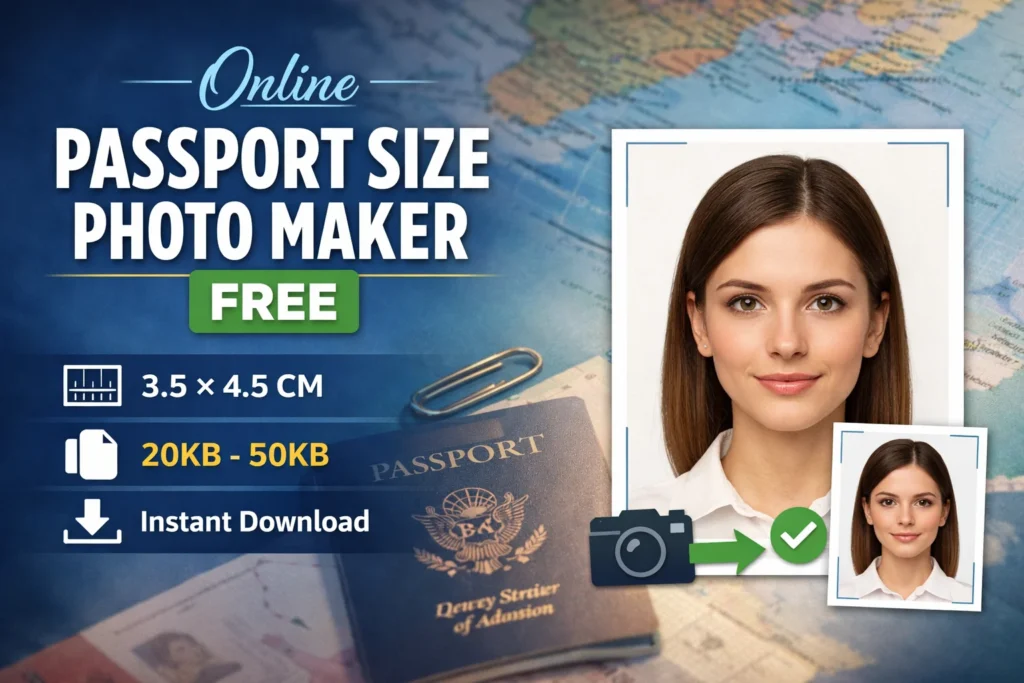
An online passport size photo maker Free is a web-based tool that allows you to upload your photo and automatically convert it into a standard passport-size image.
Instead of manually cropping, resizing, and compressing your image, the tool does everything for you instantly.
With our tool, you can:
- Resize photo to 3.5cm × 4.5cm
- Automatically crop and center your face
- Compress image to 20KB–50KB
- Download instantly in high quality
Why You Need a Passport Photo Maker Tool
Most government and online forms have strict requirements such as:
- Exact dimensions (3.5×4.5 cm)
- File size limit (10KB–50KB)
- White or plain background
- Proper face alignment
If your photo doesn’t meet these requirements, your form may get rejected.
Common Problems People Face
- Image size too large
- Incorrect dimensions
- Face not centered
- Poor compression quality
- Blurry images after resizing
Our free online passport photo maker solves all these problems in one click.
Features of Our Free Passport Size Photo Maker Free
Your WordPress plugin already includes powerful features. Here’s how to highlight them for SEO and users:
1. Automatic Passport Size Conversion
The tool automatically converts your image into the standard:
- 3.5 cm × 4.5 cm size
- Perfect for government forms
2. Smart Face Centering & Cropping
No need to manually adjust:
- Face is automatically centered
- Proper head-to-frame ratio maintained
3. File Size Compression (20KB–50KB)
Many forms require strict file size limits.
Your tool allows:
- 20KB–50KB (standard government requirement)
- 10KB–20KB (for smaller uploads)
4. Supports Multiple Formats
Upload images in:
- JPG
- PNG
- WebP
5. Instant Preview & Download
- See preview before downloading
- One-click download
- No watermark
6. 100% Free & No Registration
- No signup required
- No hidden charges
- Works directly in browser
How to Use Online Passport Size Photo Maker (Step-by-Step Guide)
Using this tool is extremely simple. Follow these steps:
Step 1: Upload Your Photo
Click on the Upload Photo button and select your image from your device.
Step 2: Choose File Size Option
Select one of the available options:
- 20KB – 50KB (Recommended for Govt forms)
- 10KB – 20KB (For smaller uploads)
Step 3: Click “Generate Passport Photo”
The tool will:
- Resize your image
- Crop it correctly
- Compress it to required size
Step 4: Preview Your Photo
You’ll see a preview of your passport-size image.
Step 5: Download the Photo
Click the Download Photo button and save it to your device.
Passport Size Photo Requirements (India)
If you’re applying for forms in India, here are the standard requirements:
Dimensions
- 3.5 cm width × 4.5 cm height
- Approx. 413 × 531 pixels
Background
- White or light-colored background
- No shadows
Face Position
- Face should cover 70–80% of the frame
- Straight face, no tilt
Expression
- Neutral expression
- Eyes open and clearly visible
File Format
- JPEG format preferred
- File size: 10KB to 50KB
Benefits of Using an Online Passport Photo Maker
1. Saves Time
No need to visit a photo studio. Create photos instantly from home.
2. Saves Money
Professional studios charge ₹50–₹200 per photo.
This tool is completely free.
3. Easy to Use
No technical skills required.
4. Works on All Devices
- Desktop
- Mobile
- Tablet
5. Instant Results
Get your passport photo in seconds.
Best Use Cases of This Tool
This tool is perfect for:
Government Exams
- UPSC
- SSC
- रेलवे (Railway exams)
- बैंक (Bank exams)
Job Applications
- Private companies
- सरकारी नौकरी forms
Identity Documents
- Passport
- Aadhaar updates
- PAN card
Online Forms
- College admission
- Scholarship forms
Tips for a Perfect Passport Photo
To get the best results, follow these tips:
1. Use Good Lighting
- Natural light is best
- Avoid shadows
2. Use Plain Background
- White wall preferred
- Avoid patterns
3. Maintain Proper Distance
- Keep camera at eye level
- Face should be clearly visible
4. Avoid Filters
- Don’t use beauty filters
- Keep photo natural
5. Wear Simple Clothing
- Avoid bright patterns
- Solid colors work best
Why Our Tool is Better Than Others
There are many tools online, but most have limitations.
Our Tool Advantages:
- No watermark
- No login required
- Fast processing
- Accurate size conversion
- Smart compression algorithm
Need a Passport Size Photo?
फॉर्म के लिए अपनी फोटो को तुरंत Passport Size में कन्वर्ट करें।
Frequently Asked Questions (FAQs)
1. Is this passport photo maker free?
Yes, it is completely free to use.
2. Can I use it on mobile?
Yes, it works perfectly on mobile devices.
3. What is the ideal passport photo size?
3.5 cm × 4.5 cm is the standard size.
4. Can I reduce photo size to 20KB?
Yes, the tool automatically compresses the image between 20KB–50KB.
5. Is my photo safe?
Yes, images are processed in your browser and not stored.
Final Words
Creating a passport-size photo no longer needs expensive software or studio visits. With our online passport size photo maker free tool, you can generate perfectly sized, compressed, and ready-to-upload photos within seconds.
Whether you’re applying for a government exam, job, or official document, this tool ensures your photo meets all requirements.
👉 Try the tool now and create your passport photo instantly!