20 Photo Editing 1980s AI Photo Prompts to Create Viral Retro Photos
The 1980s AI photo trend has become a popular way to give modern photographs a nostalgic retro appearance. With the right AI photo editing prompt, you can transform an ordinary portrait into a realistic-looking photograph inspired by the fashion, colours, hairstyles, backgrounds and film photography of the 1980s.
Instead of using a basic vintage filter, AI can recreate multiple visual elements of the decade while keeping the person’s face and overall identity recognizable.
If you are looking for photo editing 1980s AI photo prompts, here are 20 ready-to-copy prompts you can use with compatible AI image editing tools.
Tip: Upload a clear, good-quality photo along with the prompt for better results.
1. Classic 1980s AI Photo Prompt
Transform the uploaded photo into a realistic photograph from the 1980s. Keep the person's facial identity, facial structure and natural expression recognizable. Change the clothing, hairstyle and surroundings to authentic 1980s style. Add analogue film photography, subtle film grain, slightly faded colours, soft contrast and natural lighting. Make the result look like a genuine photograph taken in the 1980s rather than a modern image with a vintage filter. Remove all modern objects and technology.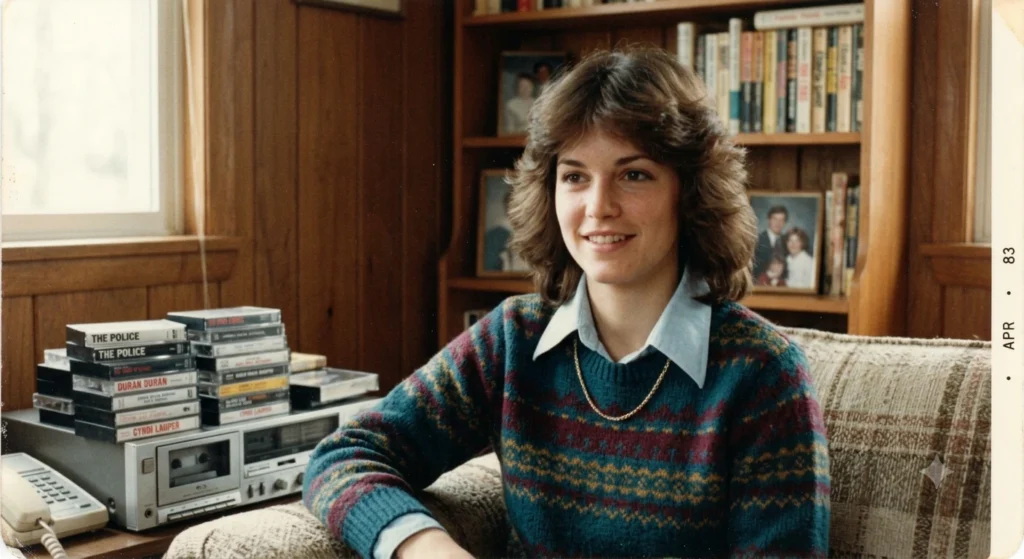
2. 1980s Vintage Portrait Prompt
Edit this photo into an authentic 1980s vintage portrait. Preserve the person's recognizable face and natural proportions. Add period-appropriate clothing, hairstyle and accessories. Use a simple vintage studio background, soft flash photography, warm analogue colours, subtle film grain and realistic skin texture. Create natural photographic imperfections so the image looks like an old printed photograph from the 1980s.3. 1980s Indian Photo Editing Prompt
Transform this photograph into a realistic Indian photograph from the mid-1980s. Keep the person's face and identity recognizable. Add authentic Indian 1980s clothing, hairstyle and accessories, with a period-appropriate background. Use analogue film characteristics, warm lighting, subtle grain, slightly faded colours and realistic skin texture. Avoid smartphones, modern vehicles, contemporary buildings and modern fashion.4. 1980s Family Album Photo Prompt
Recreate this image as a genuine family album photograph from the 1980s. Preserve the person's recognizable facial features and natural expression. Add authentic 1980s clothing and a simple family-home environment. Use direct camera flash, warm tones, mild colour fading, natural shadows and subtle analogue film grain. Make the image feel like a real old family photograph rather than an AI-generated vintage effect.5. 1980s College Photo Prompt
Turn the uploaded photograph into a realistic 1980s college photograph. Keep the person's identity and facial features recognizable. Add period-appropriate college clothing, hairstyle and accessories. Create an authentic 1980s educational environment in the background. Use natural daylight, analogue film texture, subtle grain and slightly faded colours. Remove all modern technology and contemporary objects.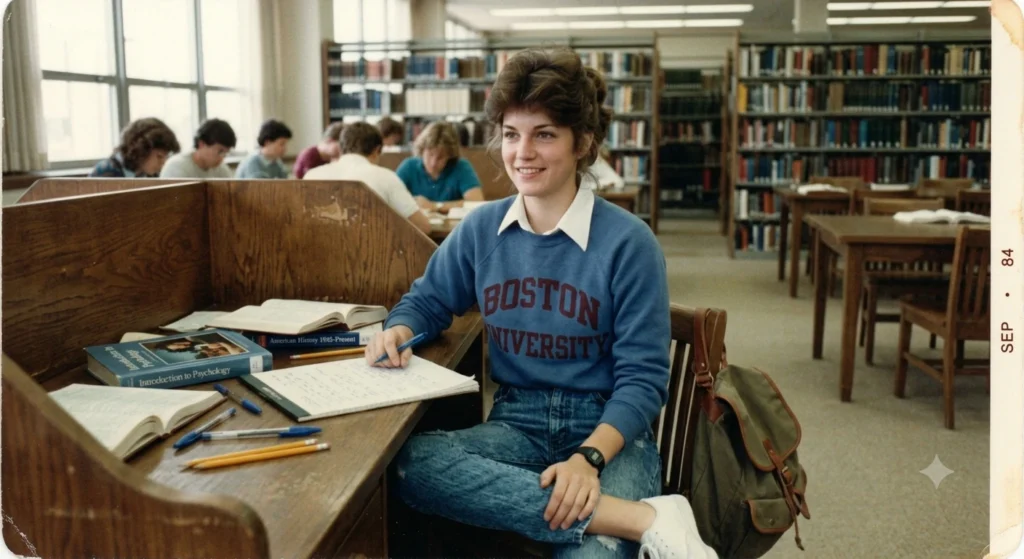
6. 1980s Bollywood-Inspired AI Prompt
Transform this photo into an original 1980s Indian cinema-inspired portrait. Preserve the person's recognizable facial identity. Add authentic 1980s Indian fashion, period hairstyle, elegant accessories and dramatic studio lighting. Use analogue film photography, warm tones, subtle grain and realistic skin texture. Create a glamorous retro cinema atmosphere without copying any specific existing movie poster or copyrighted artwork.7. 1980s Wedding Photo Prompt
Convert this photograph into a realistic Indian wedding photo from the 1980s. Keep the person's facial identity recognizable. Add traditional period-appropriate wedding clothing, jewellery, hairstyle and decorations. Use old film-camera photography, warm flash, slightly faded colours, natural shadows and subtle film grain. Make it look like an authentic wedding photograph printed from a 1980s film roll.8. 1980s Fashion Photo Editing Prompt
Transform the uploaded photo into a stylish 1980s fashion portrait. Preserve the person's face and natural facial expression. Add authentic 1980s clothing, hairstyle and accessories. Use a vintage studio setting with soft dramatic lighting, analogue film grain, realistic skin texture and slightly faded colours. Keep the image photorealistic and avoid modern fashion elements.9. 1980s Street Photography Prompt
Recreate this image as realistic 1980s street photography. Keep the person's recognizable face and natural body proportions. Place the subject in an authentic 1980s urban environment with period clothing, vehicles, shops and architecture. Use natural daylight, analogue film texture, subtle grain and slightly imperfect exposure. Remove smartphones, modern advertisements and contemporary objects.10. 1980s Black and White Photo Prompt
Transform this photo into a realistic black-and-white photograph from the 1980s. Preserve the person's recognizable facial identity and natural expression. Use classic monochrome film photography, realistic contrast, subtle film grain, natural shadows and authentic period clothing. Add the texture and slight imperfections of an old printed photograph while keeping the face sharp and realistic.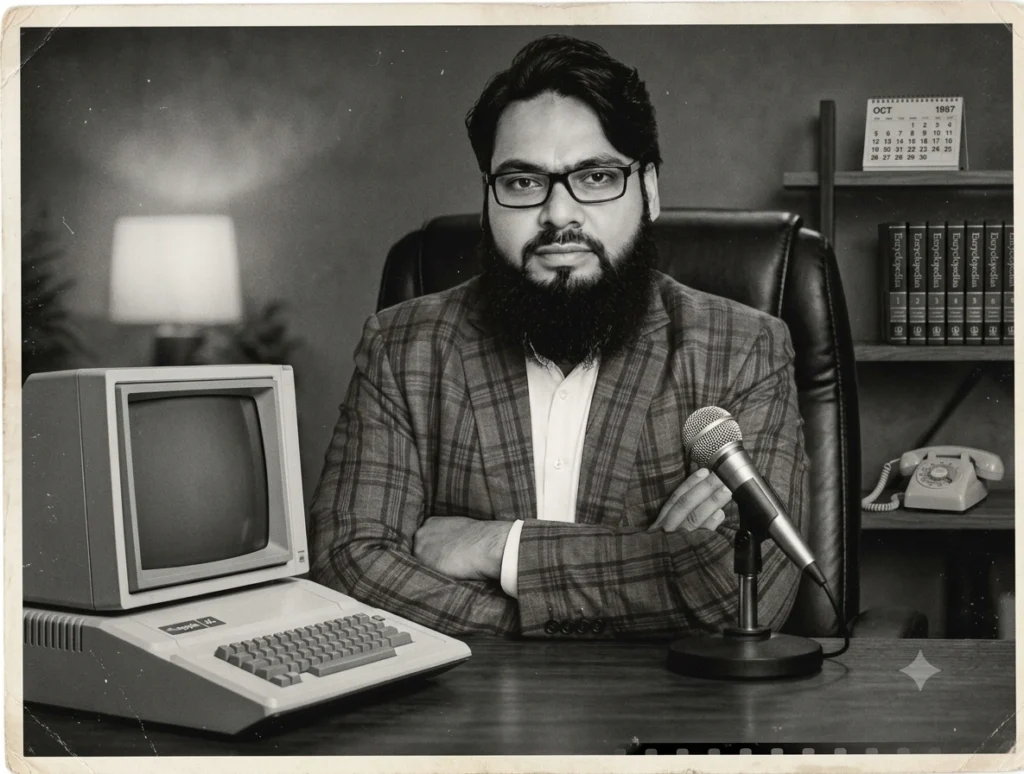
11. 1980s School Days Photo Prompt
Turn this modern photograph into a nostalgic 1980s school-day photograph. Preserve the person's recognizable facial features. Add authentic school clothing, hairstyle and a period-appropriate classroom or school environment. Use soft analogue film colours, mild grain, natural lighting and slightly faded tones. The final image should look like a genuine old school photograph.12. 1980s Passport-Style Portrait
Create a realistic formal portrait inspired by 1980s photography. Keep the person's face, identity and facial proportions unchanged. Add simple period clothing, an authentic vintage hairstyle and a plain studio background. Use soft flash lighting, analogue film grain, muted colours and realistic photographic texture. Make it look like a genuine professionally printed portrait from the 1980s.13. 1980s Casual Photo Prompt
Transform this photograph into a casual snapshot taken during the 1980s. Keep the person's recognizable face and natural expression. Add authentic 1980s casual clothing and hairstyle. Use an ordinary consumer film camera look, mild flash, natural shadows, subtle grain, slightly faded colours and imperfect framing. Avoid an overly polished digital appearance.14. 1980s Couple Photo Prompt
Transform the uploaded couple photograph into a realistic 1980s couple portrait. Preserve both people's recognizable facial identities and natural expressions. Add authentic 1980s clothing, hairstyles and accessories. Create a romantic vintage environment with analogue film photography, warm lighting, subtle grain and slightly faded colours. Remove modern objects and contemporary fashion.15. 1980s Friends Group Photo Prompt
Turn this group photograph into an authentic 1980s friends photo. Preserve the recognizable faces and natural expressions of everyone. Add period-appropriate hairstyles, clothing and accessories. Create a realistic vintage environment with analogue film texture, soft flash, mild grain and slightly faded colours. Maintain realistic body proportions and avoid modern objects.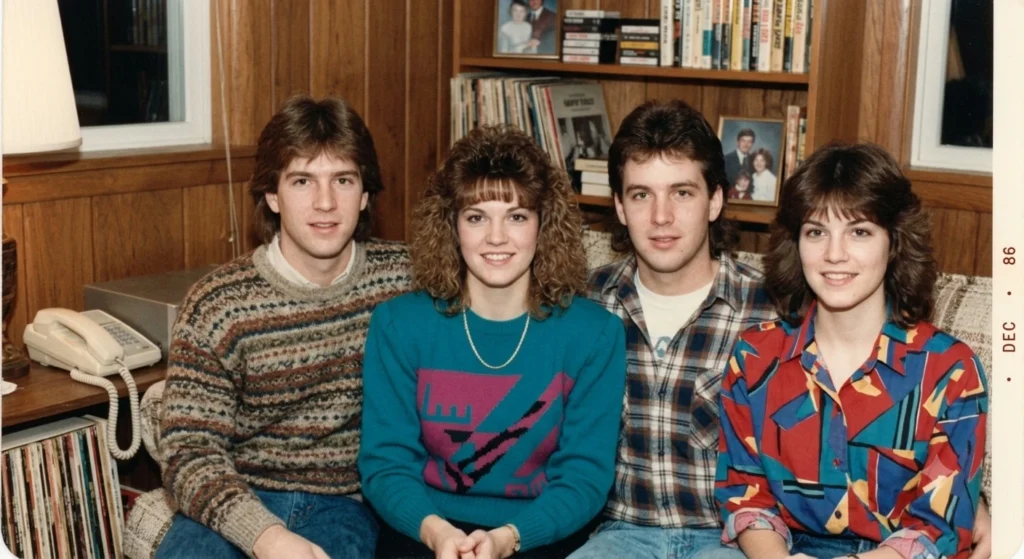
16. 1980s Travel Photo Prompt
Recreate this photograph as a genuine travel snapshot from the 1980s. Keep the person's recognizable face and natural appearance. Replace modern clothing and objects with authentic 1980s styles. Add a realistic period travel environment, old film-camera characteristics, warm colours, subtle grain and slightly faded photographic tones. Avoid modern cars, smartphones, signs and technology.17. 1980s Rural Village Photo Prompt
Transform this image into an authentic rural Indian photograph from the 1980s. Preserve the person's facial identity and natural expression. Create a realistic village environment with period-appropriate clothing, traditional surroundings, older architecture and natural scenery. Use analogue film photography, warm sunlight, subtle grain and slightly faded colours. Avoid modern buildings, vehicles and technology.18. 1980s Studio Photography Prompt
Edit the uploaded photo into a professional studio portrait photographed during the 1980s. Keep the person's recognizable facial identity. Add authentic 1980s clothing, hairstyle and accessories. Use a classic studio backdrop, softbox-style lighting, analogue film characteristics, subtle grain, realistic skin texture and gentle colour fading. Make the photograph look naturally aged rather than digitally filtered.19. Old Camera 1980s Photo Prompt
Make this photograph appear as if it was captured using a consumer film camera in the 1980s. Preserve the person's identity and natural facial features. Add authentic period clothing and surroundings. Include realistic film grain, mild flash, slight colour shift, soft focus, natural shadows and subtle photographic imperfections. Do not make the result look like a modern digital photograph with a simple retro filter.20. Ultimate 1980s AI Photo Editing Prompt
Transform the uploaded photograph into an extremely realistic 1980s-era photograph while preserving the person's recognizable facial identity, facial structure, expression and natural proportions. Recreate authentic 1980s clothing, hairstyle, accessories, architecture, background and photographic composition. Use realistic analogue film characteristics, subtle natural grain, warm tones, slightly faded colours, soft contrast, mild flash and authentic photographic imperfections. The image should look like a real photograph captured on 1980s film and later printed on photographic paper. Remove smartphones, modern vehicles, contemporary buildings, modern clothing, digital effects and other elements that did not belong to the era. Keep the final result photorealistic, natural and historically believable.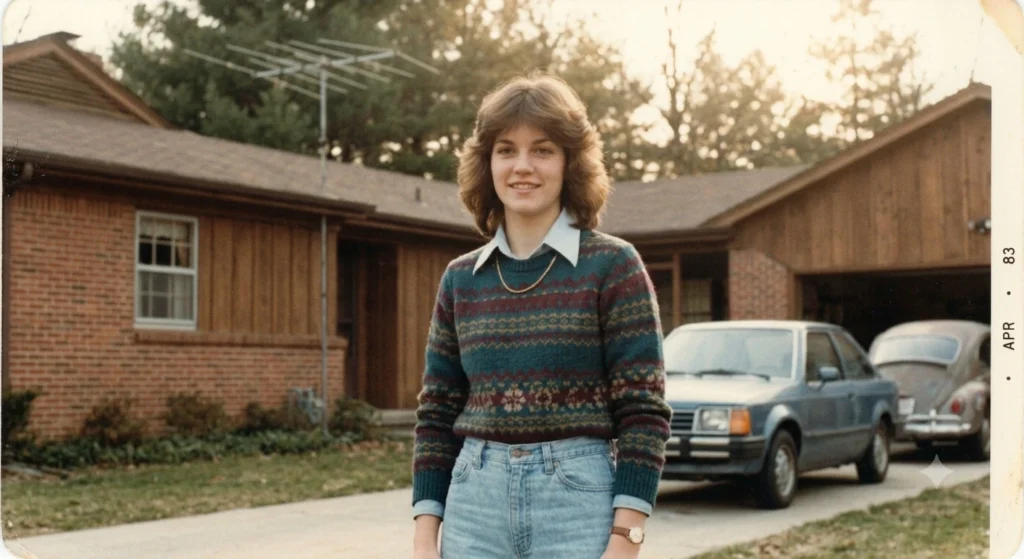
How to Use These 1980s AI Photo Prompts
Using these prompts is simple.
Step 1: Select Your Photo
Choose a clear portrait or photograph. Images with good lighting and visible facial features generally work better.
Step 2: Upload the Image
Open an AI image editing tool that supports image uploads and add your photograph.
Step 3: Copy a Prompt
Choose one of the 20 1980s AI photo prompts above according to the style you want.
Step 4: Generate the Image
Paste the prompt and ask the AI to edit the uploaded image.
Step 5: Improve the Result
If the result does not look sufficiently authentic, add specific instructions such as:
Make the clothing more authentically 1980s and reduce the modern digital appearance. Keep the face unchanged and increase the subtle analogue film texture.Tips for Getting Realistic 1980s AI Photos
For better results, don’t rely only on the words “vintage” or “retro.” Tell the AI exactly what you want.
Mention a Specific Year
For example:
“A photograph taken in 1984.”
This can give the AI a more precise historical reference.
Describe the Environment
You can specify:
- 1980s home
- old Indian street
- school campus
- wedding venue
- vintage studio
- railway station
- family living room
Describe the Photography
Useful terms include:
- analogue film
- 35mm film look
- subtle film grain
- soft flash
- faded colours
- natural shadows
- printed photograph
- slight exposure imperfections
Tell the AI What to Remove
If modern objects appear, add:
“Remove smartphones, modern vehicles, contemporary buildings, modern advertisements and digital-looking elements.”
1980s AI Photo Prompt: Before and After
The basic idea is to take a modern photograph and transform its visual characteristics into those associated with an earlier decade.
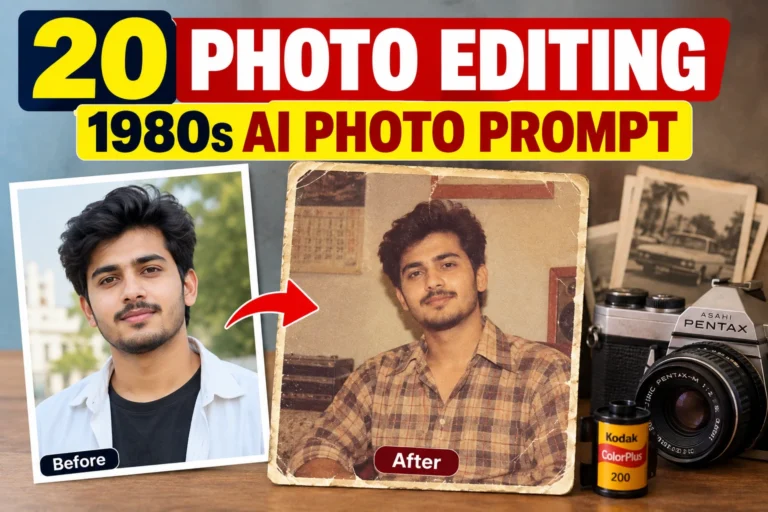
Before: Modern portrait with contemporary clothing and surroundings.
After: A realistic 1980s-inspired portrait with period clothing, hairstyle, environment, analogue film texture and vintage photographic characteristics.
The objective is not simply to make the image darker or add a sepia effect. A detailed prompt gives the AI instructions about the complete visual scene.
Frequently Asked Questions
What is a 1980s AI photo prompt?
A 1980s AI photo prompt is an instruction used with an AI image editing tool to transform a photograph into a realistic image inspired by the 1980s.
Which is the best 1980s AI photo prompt?
The Ultimate 1980s AI Photo Editing Prompt above is a good general-purpose option because it covers facial identity, clothing, hairstyle, background, lighting and analogue photography.
Can I use these prompts for old family photos?
Yes. These prompts can also be used to recreate a vintage appearance for suitable family, wedding, school or group photographs.
How can I make an AI photo look more like the 1980s?
Mention specific 1980s clothing, hairstyles, backgrounds, analogue film characteristics, lighting and photographic imperfections. Also instruct the AI to remove modern objects.
Can I use these prompts for Indian 1980s photos?
Yes. Prompts 3, 7 and 17 are specifically designed around Indian 1980s visual settings.
Why does my AI-generated photo look like a filter?
A short prompt such as “make this photo vintage” may only change the colours. Use a detailed prompt that asks the AI to recreate the clothing, hairstyle, surroundings, lighting and film characteristics.
Final Words
These 20 photo editing 1980s AI photo prompts can help you experiment with the popular retro-photo style without needing advanced photo-editing skills. You can create different looks ranging from family album pictures and school memories to vintage portraits, Indian wedding photographs, street scenes and 1980s fashion.
For the most realistic result, start with a clear reference image and use a detailed prompt. You can then make small changes to the clothing, background, hairstyle, lighting and film texture until you get the look you want.
1 Comment
Your comment is awaiting moderation.
Selam friends, I have played around Istanbul and Ankara and honestly the quality here stands out from the usual clutter. The interface breathes easy and I never get lost looking for features. Withdrawals land exactly when promised and the support team answers with a human touch. I keep returning because it simply works for everyday players. Find your way at trmadridbet
Your comment is awaiting moderation.
Grabbing the app through this link made my mobile experience so much smoother. The app runs like butter on my Android device and I never experience any lag during live sessions. Customer service is always one tap away whenever I need a quick answer. I am genuinely impressed by how lightweight yet powerful it feels. descargarbetcrisandroid
[…] 20 Photo Editing 1980s AI Photo Prompts for Viral Retro Photos […]